
WhatsApp API / Field guide
WhatsApp Cloud API: Setup, Delivery and Billing Guide
Cloud API is an API path for business messaging. A useful implementation needs more than a successful send: assess the number, choose an interface, handle incoming messages and delivery updates, reconcile costs and give customers a clear route to a person. This guide takes those decisions in order.
- Published
- Reading time
- 9 min
- Attribution
- Pending

In this guide
Part 01
Choose the registration path before changing the number
Identify whether the number is on the Business App, already API-only or new. Assess coexistence and standard registration separately. Do not delete, deactivate, disconnect or re-register a working account based on this guide; agree a supported migration, backup and recovery plan first.
Coexistence is an option to assess for an existing Business App number. Confirm eligibility for that number, account, country, app/API version and rollout before planning a hybrid setup. This guide does not confirm availability for your account.
Confirm whether history and media import is offered, which records are included, consent, linked-device support and synchronization behavior. No fixed import period, device count or complete CRM history is guaranteed.
List whether staff currently answer on the Business App, use an API inbox or rely on a browser-linked integration. Record who controls the number and business portfolio. Those facts determine what must be assessed; a plan label does not establish eligibility, a complete history transfer or a badge.
Standard and hybrid planning comparison
Scroll sideways to see every column →
| Aspect | Standard Cloud API | Hybrid Coexistence |
|---|---|---|
| Operating model | API integration with your chosen interface | Business App alongside API, subject to eligibility |
| Throughput and recipient limits | Check actual account limits | Check actual hybrid account limits |
| History, media and devices | Agree migration and retention scope | Confirm import, sync and linked-device scope |
| Calls, groups and app features | Confirm API/version/region support | Confirm each app/API feature separately |
| Region and onboarding | Check number/account/provider eligibility | Check country, app version and rollout |
| Billing | Effective category/rate; platform fees separate | Distinguish app and API traffic; confirm tariffs |
Further reading
Part 02
Separate the API from your business interface
Think of the implementation as three cooperating parts: messaging access, your application and the people operating the workflow. The API carries messages and status events; your application supplies customer mapping, approvals, records and the inbox or automation your team needs.
Visual guide
Three responsibilities in one workflow

Messaging access
The API carries messages and status events.
Application and records
Your application supplies customer mapping, approvals, records and the inbox or automation your team needs.
Operator review
For customer support, define who receives an incoming enquiry and how an unresolved automation reaches a person.
Meta’s platform overview describes business messaging APIs; it does not establish which Whats91 plan includes an inbox, chatbot, ERP connector or analytics dashboard. Compare the actual service scope rather than treating every implementation provider as interchangeable.
For an invoice workflow, obtain the final document and permitted recipient from your business system, then record the message reference and subsequent outcome. For customer support, define who receives an incoming enquiry and how an unresolved automation reaches a person. These are design examples, not proof of an already connected ERP.
Implementation responsibilities to agree
Scroll sideways to see every column →
| Area | Direct implementation | Provider-assisted implementation |
|---|---|---|
| Application and inbox | Choose/build and operate your interface | Confirm interface, permissions and included features |
| ERP/customer mapping | Design and verify each integration | Confirm supported connector and data scope |
| Webhook and recovery | Own endpoint, monitoring and failures | Agree responsibilities and escalation |
| Support and launch | Assign operators and readiness checks | Agree service scope and schedule |
Further reading
Part 03
Prepare access, identity and a safe setup
Use a real business identity and the permissions required by the selected onboarding flow. Collect genuine details first and check whether verification is requested for that portfolio. A universal document checklist or fixed approval time would obscure account-specific requirements.
Onboarding, verification, template review and integration timing depend on the account, provider, workflow and outstanding approvals. Confirm the scope and schedule with the team; no instant approval, fixed waiting period or go-live deadline is promised.
If a selected flow asks for a website or supporting documents, submit genuine material describing your business and resolve inconsistencies. Do not use a dummy website to get through a review. The messaging policy calls for accurate business information and a support contact; its contact options are not a universal website-verification checklist.
The following is a reading checklist, not an account checker. Completing it here does not submit documents, verify a business or grant API access.
- Identify the number, portfolio owner, registration path and operator access.
- Confirm the selected provider’s genuine identity, number and verification requirements.
- Agree the inbox, integrations, data access and backup/retention scope.
- Configure an authenticated application and status endpoint in an authorized test environment.
- Prepare permitted recipients, message purposes and approved templates where required.
- Verify inbound routing, send failure, delivery evidence and manual escalation before launch.
Part 04
Match message purpose, format and permission
Text, media, interactive choices, templates and multi-step forms can serve different tasks. Start with the customer’s need: a final invoice, a delivery update, an authentication code or a support reply. A file format or an example wording does not prove template approval, category classification or support in your chosen version.
A customer message opens or resets the 24-hour reply window. Outside it, an approved template is needed. Permission to use a message format does not determine its price; confirm the effective category, allowance and account conditions separately.
Keep marketing separate from transactional and authentication traffic when preparing volumes. A promotional addition can change a message’s purpose; ask for the applicable classification instead of choosing the cheapest category. Check opt-in, opt-out handling and an escalation path before automating a customer conversation.
Illustrative message tasks — confirm support and classification
Scroll sideways to see every column →
| Task | Information to validate | Operational check |
|---|---|---|
| Invoice/document | Final version and intended recipient | Attachment availability and delivery outcome |
| Order update | Correct order and non-promotional purpose | Customer mapping and exception routing |
| Authentication code | Intended verification flow | Expiry/security design and approved template |
| Interactive enquiry | Supported format/API version | Fallback when the choice is unavailable |
| Support reply | Customer’s question and reply window | Clear human escalation |
Part 05
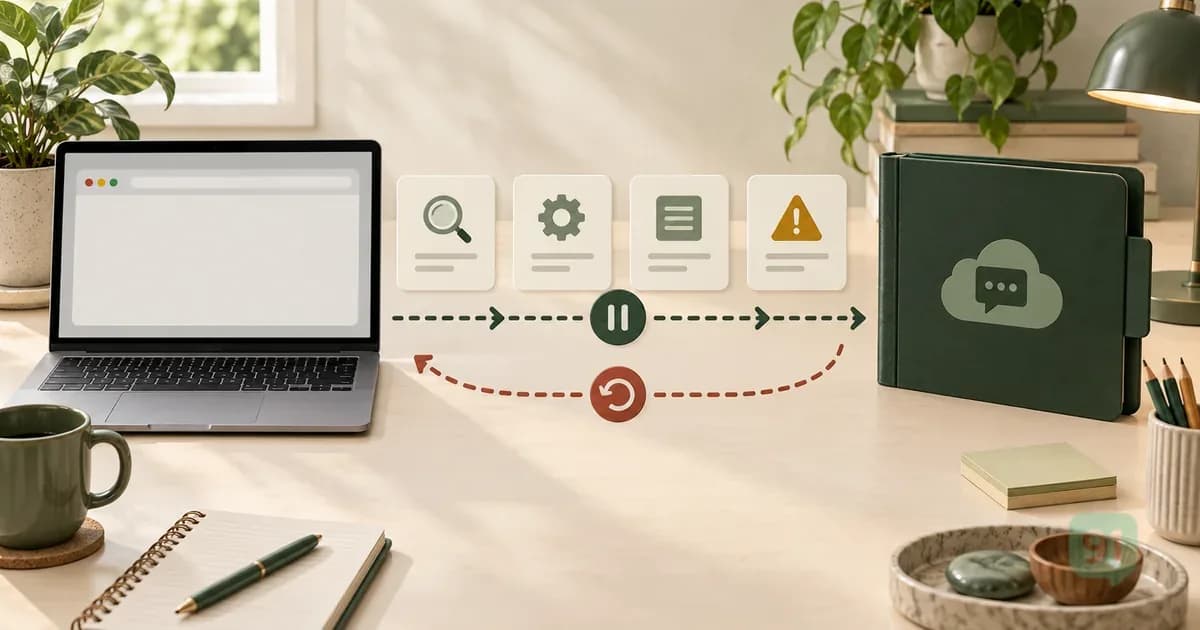
Track accepted, delivered, failed and unknown separately
Store a business reference alongside each send request. An acknowledgement can identify a request for later tracking; it does not prove that the person received or read the message. Delivery updates and the applicable billing record answer different questions.
A missing callback is an investigation state. Check endpoint availability, message references and provider status before retrying; do not infer zero cost or automatically duplicate every uncertain send. Decide what can be retried safely and what needs an operator.
The example below is an invented local record shape, not a provider response schema or a live request. No customer number, credential or functioning endpoint is supplied.
Evidence map
Keep the outcomes separate
These are distinct records to reconcile, not steps that always complete in order.
Accepted
An acknowledgement can identify a request for later tracking; it does not prove that the person received or read the message.
Delivered or failed
Match delivery/failure events to the right reference and customer.
Unknown
A missing callback is an investigation state.
Billing
Delivery updates and the applicable billing record answer different questions.
- Record the request and business reference without exposing secrets in logs.
- Match delivery/failure events to the right reference and customer.
- Investigate missing or conflicting evidence before a duplicate send.
- Reconcile applicable charges and exceptions with the invoice.
- Give an operator a visible queue for unresolved cases.
{
  "businessReference": "DEMO-INVOICE-001",
  "requestState": "accepted",
  "deliveryState": "unknown",
  "billingState": "unresolved",
  "nextAction": "inspect status before retry"
}
Part 06
Message billing and platform costs
Effective 1 October 2026; original INR billing card, per delivered message. This schedule is not the price for messages delivered before 1 October 2026. Whats91 passes through Meta messaging charges without markup. Whats91 platform subscriptions, setup, integrations and applicable taxes are separate.
Meta’s public pricing page, checked 29 September 2026, describes charges for delivered messages by recipient market and category. Keep an API acknowledgement, delivery evidence and an invoice as separate records. A queued or accepted request is not a final charge; missing evidence leaves billing unresolved.
Whats91 platform subscriptions: Coexistence ₹699/month or ₹5,000/year; Standard ₹949/month or ₹7,000/year. Monthly billing has a one-time setup fee of ₹1,000 or ₹2,000 respectively; annual billing includes setup. These amounts exclude 18% GST, added on top. Meta message charges pass through separately without Whats91 markup. Add-ons, feature eligibility, trials, renewal, invoice treatment and activation need separate confirmation. No payment or activation is available on this website.
Part 07
Plan capacity without promising a universal limit
Throughput in messages per second is separate from recipient messaging limits, template pacing and quality restrictions. Standard and hybrid limits must be checked for the actual account; no fixed MPS or universal upgrade is confirmed here.
Capacity planning should include queue growth, recipient limits, template quality, webhook handling and the business team’s ability to resolve failures. A fast request rate is of little use if statuses are lost or customers cannot get help.
Use a bounded pilot with your confirmed conditions. Observe actual completion and errors before increasing traffic. Do not use a template approval, business verification or version announcement as evidence that an automatic capacity upgrade occurred.
Part 08
Measure your own pilot before setting targets
Choose template and operating targets from your own workflow. There is no universal delivery, read, response or opt-out percentage established here.
Define a denominator and period for each measure. For delivery, compare observed delivered outcomes with the sends in the same cohort and report unresolved cases separately. For response, distinguish customer replies from automated acknowledgements. For opt-outs, track whether the next send was prevented.
Review template variables, document correctness and exceptions as well as throughput. Comparing equivalent periods is more informative than declaring success from one accepted request. Use synthetic test cases first, then obtain separate authority before any real customer pilot.
Part 09
Prepare a scoped implementation discussion
Whats91 onboarding assistance, integrations, support channels and response commitments depend on your agreed service scope. Provider/account approval is separate from Whats91 assistance; no organization policy establishes universal Meta eligibility.
Bring one workflow, its inputs, operator roles, number state, expected volumes and exception cases. Ask which parts are included and which require separate integration work. Agree the tests, cost scope and recovery plan before setting a launch date.
Continue with one scoped workflow
Discuss Cloud API setupQuestions
Frequently asked questions
Does an accepted request mean a message was delivered or billed?
No. An accepted request is not delivery or a final billing record. Reconcile delivered and failed statuses with the applicable rate card and invoice. Missing delivery or pricing evidence leaves billing unresolved, rather than proving a zero charge.
Must I delete my existing Business App account?
Identify whether the number is on the Business App, already API-only or new. Assess coexistence and standard registration separately. Do not delete, deactivate, disconnect or re-register a working account based on this guide; agree a supported migration, backup and recovery plan first.
Are all messages in a reply window free?
From 1 October 2026, delivered Service replies are charged at the recipient market’s Service rate after the monthly 1,000 free Service deliveries per business phone number. This allowance is shared across recipient markets and 1:1/group deliveries, counts each delivered group recipient, resets monthly and does not roll over. Service messages require an open 24-hour customer-service window, opened or reset by a customer message. Incoming customer messages are not charged. From 1 October 2026, delivered Utility templates are charged even inside the 24-hour customer-service window, unless an eligible free-entry window exempts the delivery. The customer-service window controls messaging permission; it does not make all replies free. Eligible Click-to-WhatsApp ad entry on Android or iOS can open a free-entry window when the business replies within the customer-service window. The window starts with that response and can last up to 7 days, subject to Meta’s actual eligibility and expiry. During that window, Marketing, Utility, Authentication and Service deliveries are free for that business phone number/customer pair across messaging accounts. An ad click alone or desktop/web entry does not establish this exemption. Confirm the actual window before excluding deliveries.
How long does onboarding take?
Onboarding, verification, template review and integration timing depend on the account, provider, workflow and outstanding approvals. Confirm the scope and schedule with the team; no instant approval, fixed waiting period or go-live deadline is promised.
Does this page test my account or send a message?
No. It is a reading guide with illustrative records. Account access, registration, approval and real-message testing require a separate supported plan and authorization.
Share this guide
If copying is unavailable, select the article link below.
Next reads
Continue reading
WhatsApp API
WhatsApp Web Sessions and Official API Migration: A Planning Guide
Assess browser-session dependencies, standard and eligible hybrid paths, genuine onboarding information, backup, recovery and costs before migrating a number.
Read guide →
WhatsApp API
WhatsApp Cloud API Pricing India 2026: Budgeting and Billing Conditions
Separate message charges, platform fees, setup and taxes. Check effective rate scope, billing evidence and written buying conditions before committing a budget.
Read guide →